ChatPic User Manual: A Complete Guide to Managing Your Shares
Sharing images with ChatPic is only one part of the process. After creating a share, you may need to check its status, understand how long it will remain available, or change how recipients can access it.
Secure Sharing
Expiration Control
View Limits
Password Protection
ChatPic includes several options that help you control shared images and monitor their activity. Understanding these options can help you manage your shares properly and avoid confusion when their status changes.
This ChatPic user manual covers the main features you may need while managing your shared images. It explains the private dashboard, expiration, view limits, password protection, Burn After View, share statuses, and other privacy controls. You will also learn what different access states mean and how to handle common issues. The guide keeps everything simple so you can understand each ChatPic feature and use it with confidence.
Core Features That Made ChatPic Popular
ChatPic combines simple image sharing with useful privacy and access-control features. Below are the complete details of all its key features that make it practical for temporary image sharing.
Share Information
The Share Information section shows the main details of your ChatPic share. You can check the number of images, share status, expiration date, view limit, and other settings you selected when creating the share.
View Statistics
View Statistics helps you check how your shared images are being accessed. You can see the number of views, remaining views, and other available activity details to understand how your share is being used.
Expiration Countdown
The expiration countdown shows how much time remains before your share becomes unavailable. It helps you know when access will end and whether you need to extend the share.
Managing an Existing ChatPic Share
You can manage an existing share from your private ChatPic dashboard. The available options let you extend access, delete a share, or check its status.
How to Extend a Share
If you need to keep a share available for longer, open your private dashboard and find the relevant share. Use the available expiration option to choose a new period and save the change.
How to Delete a Share
You can delete a share when you no longer want your images to remain accessible. Open the dashboard, select the share, choose the delete option, and confirm the action.
What Happens When a Share Expires
When a share reaches its expiration time, the images are no longer available through the private link. This allows temporary shares to end automatically without requiring you to remove them manually.
What Happens When the View Limit Is Reached
When the allowed number of views is used, the share can no longer be accessed through the link. This gives you control over how many times your images can be viewed.
ChatPic Privacy and Access Controls
ChatPic provides different settings to control access to your shared images. You can limit access by time, views, passwords, or viewing actions.
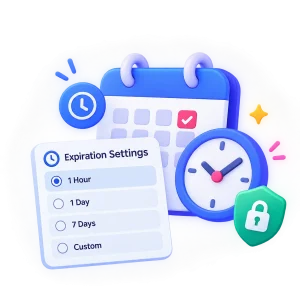
Expiration Settings
Expiration settings let you decide how long your images remain available. Choose a suitable period based on how long the recipient needs access to the share.
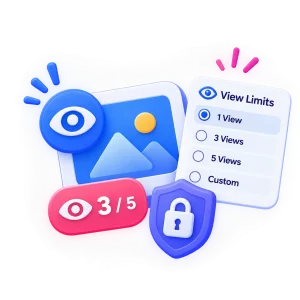
View Limits
View limits control how many times your shared images can be viewed. This is useful when you want to restrict access instead of allowing unlimited views.

Password Protection
Password protection adds another access requirement to your private share. The recipient must enter the correct password before they can view the shared images.
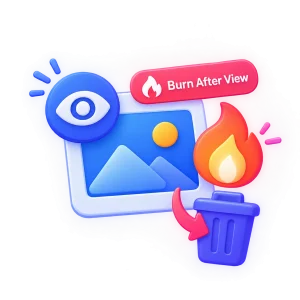
Burn After View
Burn After View is useful when you want the images to be available for a temporary viewing purpose. After the intended viewing action, the share can be removed so it is not available for future access.

Burn & Delete Now
Burn & Delete Now lets you remove a share when you no longer want it to remain available. It can be useful when the images have already been viewed, or you want to end access immediately.
ChatPic Security Best Practices
Follow a few simple practices to keep your shared images and access details under better control.

FAQs
Final Words
To conclude, this ChatPic User Manual explains the features and controls you need to manage your image shares. It covers the dashboard, share status, expiration, view limits, password protection, and deletion options. You can also use the security tips to manage your private shares more safely. Follow this guide whenever you need help managing or controlling a ChatPic share.